App Roster
Your iPhone and iPad apps, organized on your Mac
Get a clear picture of what's installed on your iPhone or iPad. App Roster turns a connected device's app inventory into an organized, searchable list you can explore, compare, and export.
Why App Roster
Know what's on your device
Browse apps by name, category, version, and reported storage size. Search for a specific app, filter by category, and sort columns to find what matters.
Keep a record over time
Every successful scan becomes a saved snapshot you can revisit, even when your device isn't connected. Give snapshots meaningful names, such as "Before iOS Update," and add notes for future reference.
See what changed
Compare scans to spot added or removed apps, version changes, and differences in reported storage. Compare two devices to see which apps they share and which are unique to each.
Screenshots
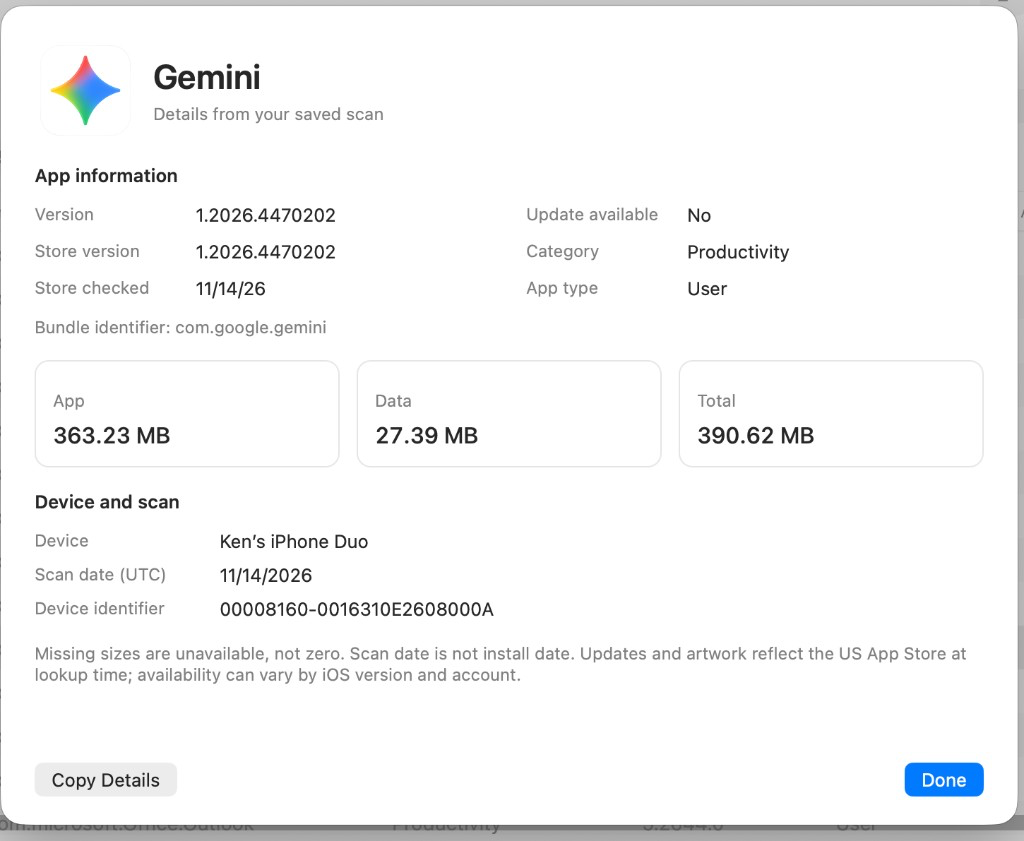
Search and filter your inventory, then open any app for its details from your saved scan.
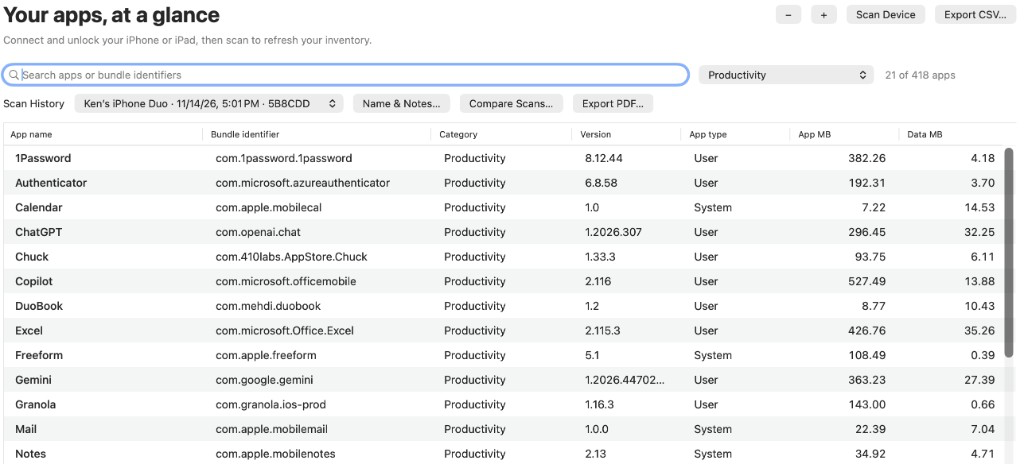
Create useful reports. Export your inventory to CSV for use in a spreadsheet, or create a neatly formatted PDF for reference, sharing, or recordkeeping.
Make it your own. Adjust text size, rearrange columns, and hide details you don't need. App Roster remembers your table preferences.
Whether you're preparing for a new device, keeping track of a family's iPhones and iPads, or documenting your own app collection, App Roster gives you a convenient record you can return to.
Connect. Scan. Explore. Connect and unlock your iPhone or iPad, trust your Mac, and click Scan Device. Your saved inventories and notes stay on your Mac.
Storage details are shown when provided by the device. Categories and artwork use App Store information. Scan dates record when an inventory was captured, not when apps were installed.