
VideoPull
Download YouTube video and MP3
Copy a YouTube link and VideoPull queues it for you. Download 1080p, 720p, or MP3 when you are ready. One-time purchase, no subscription.
Why VideoPull
Queue a link
Copy a YouTube link and it joins the queue, even while VideoPull is in the background. Nothing downloads until you click Download.
1080p, 720p, or MP3
The buttons at the top set the default for new items. Each video in the queue can use its own format, so one batch can mix video and audio.
Files stay put
Files save to Downloads, or to any folder you choose. VideoPull uses the video title and leaves out hashtags and the trailing video ID. If that name already exists, it adds (2), (3), and so on. Existing files are never replaced.
Screenshot
Choose a format, add a link, and download when you are ready. Reveal a finished file in Finder from its row.
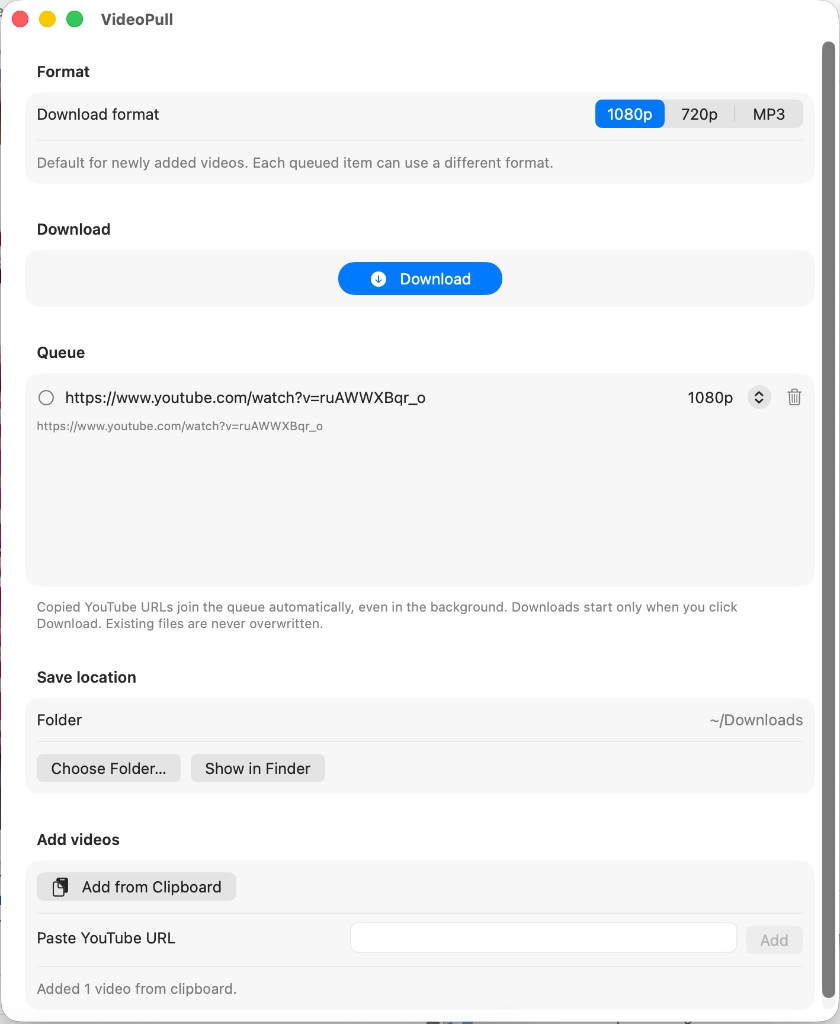
Downloads run one at a time. Stop cancels the current item and leaves the rest of the queue in place. Failed items stay in the list and are tried again the next time you click Download. Remove a row, or clear finished items when you are done.
The downloader is included. Update it from the VideoPull menu or Settings when you want a newer version, without reinstalling the app. VideoPull is a one-time purchase. There is no subscription and no account. It is sold on this site, not on the Mac App Store.
Only download content you have the right to use. Respect copyright and YouTube's terms of service.