Why ScreenGrab
Grab a region
Press your shortcut, drag across the area you want, and let go. The screen does not dim. The selection stays on the display where you started, and you can show the width and height while you drag.
Copy, save, or preview
Show a preview with Copy, Save, Annotate, and Discard—or copy the image immediately, or save a PNG immediately. Saves start in ScreenShots on the Desktop. If a save cannot be completed, the capture is kept so you can try another folder.
Annotate
Add arrows, circles, and text. Pick from eight colors, six line thicknesses, and six fonts. After you place a mark, drag its handles to move or resize it. Undo and redo cover those edits. Copy and Save use the finished image. Cancel leaves the original capture unchanged.
Screenshots
Open ScreenGrab from the menu bar, then set the shortcut and what happens after you capture.
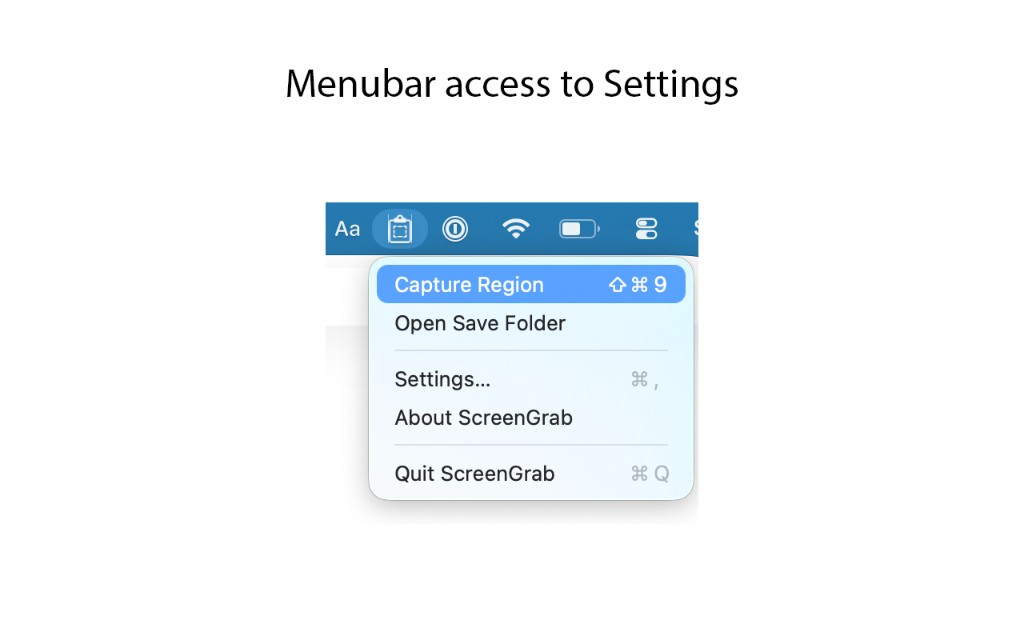
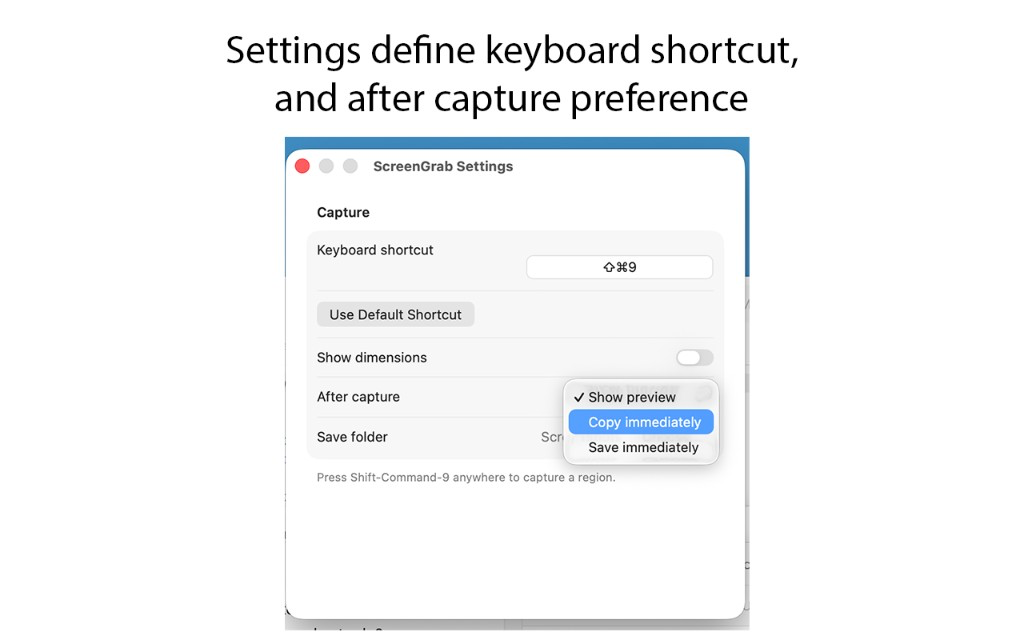
ScreenGrab lives in the menu bar and stays out of the Dock. The capture shortcut is customizable. macOS requires Screen Recording permission before a screenshot can be taken. Captures stay on your Mac. There is no account and no subscription. ScreenGrab is a one-time purchase of $1.99. Requires macOS 14 or later.